
The Followers feature allows you to analyze follower demographics, activity levels, and mutual follow status in detail to drive long-term account growth. This article explains specific ways to use it.
Using the Followers feature
Understand follower interests
You can understand what themes your followers are interested in based on keywords in their profiles and bios. Use this to optimize content and campaigns and create posts that resonate with your target audience.
Extracting active followers
By extracting "inactive users," you can focus on communicating with active users, which is effective for improving engagement rates. (Reference: What is inactive?)
Tracking follow and follower status
You can easily check users who are "mutual follows," "not following back," or "not followed back." This allows for efficient management when you want to follow back or review your following list. (Reference: Follow strategy explained! How to choose accounts to follow)
Discovering fans and influencers
By extracting users with many likes, those who react frequently (Reference: Post engagement), or those with many followers, you can identify "industry influencers" and "core fans." You can then consider strategies like providing early access information or exclusive content to core fans to increase loyalty.
How to use the Followers feature
- Log in to SocialDog and click "Followers" in the menu
- Select the item you want to check from the list on the left
- To apply filters, narrow down the criteria using the filter in the top right (CSV download available)
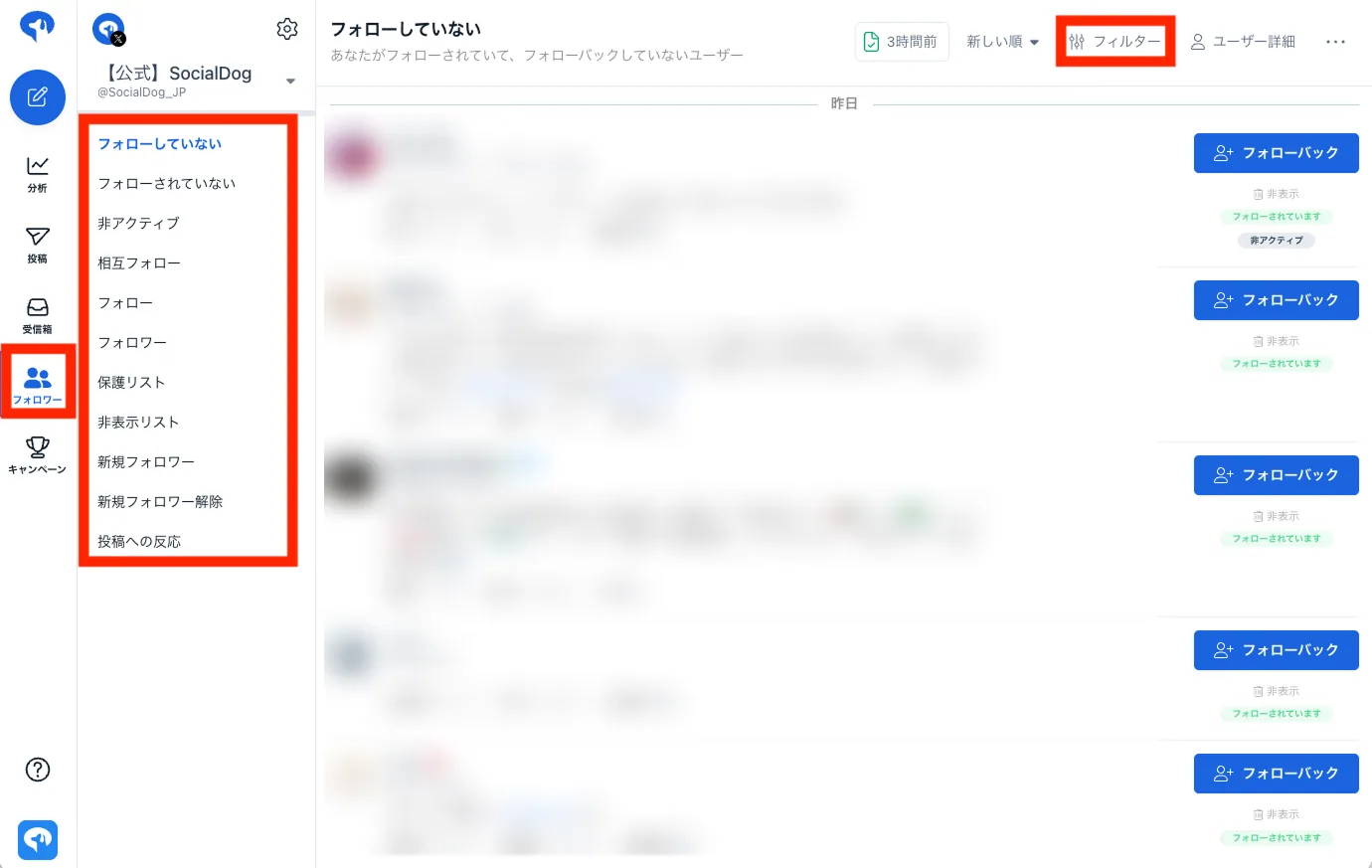
About the filter feature
The filter feature is useful for follower management. It allows you to narrow down users based on specific criteria and display them in a list.
For more details, please see "List of items that can be set in Advanced filters."
Main filters
- 1,000+ followers
- Username
- Display name
- Location
- Active
- X Premium verified
- Follower date
- X account creation date
Use cases
Understand follower interests
- Goal
- Understand what themes your followers are interested in based on keywords in their profiles and bios to optimize content and campaigns.
- Filter settings
- All text: Specify specific keywords (e.g., business, gaming, cooking)
- Set filter to "Active only"
- Steps
- Applying filters with the above criteria allows you to list the attributes of active followers (CSV download available).
Extracting prospective users
- Goal
- I want to find influential prospects.
- Filter settings for "Individual" targets
- All text: Specify specific keywords (e.g., SNS, marketing)
- Display name: Does not include "company, official, corp, inc"
- Follower count: 1,000 or more
- Adult posts: Exclude (Set to prevent official accounts from interacting with adult-oriented accounts)
- Filter settings for "business" targets
- All text: Specify specific keywords (e.g., SNS, marketing)
- Display name: Includes "company, official, corporation, business"
- Adult posts: Exclude
- Steps
- Applying these filters allows you to list target followers (CSV download available).
Cleaning up inactive users
- Goal
- Clean up your timeline and improve engagement rates.
- Steps
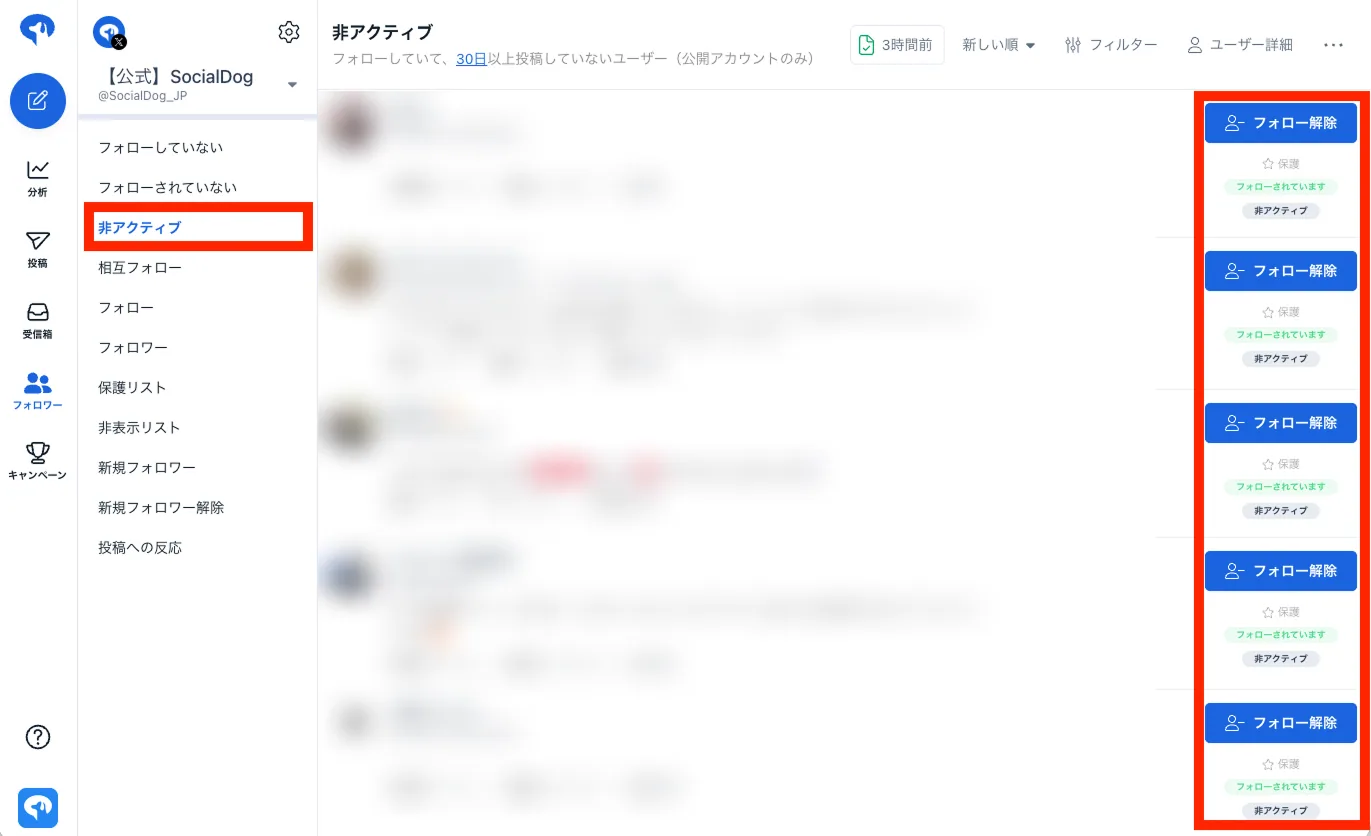
- Click "Inactive" from the list on the left
- Clicking "Unfollow on X" opens X, where you can follow or unfollow.
Summary
The follower feature not only manages follows and followers but also helps you precisely target your audience for higher-quality communication. By utilizing the extensive filtering features, you can streamline your X operations and achieve effective account growth.
Use SocialDog's follower features to grow your social media accounts more effectively and efficiently.