Overview
"Media Library" is a system that allows you to upload multiple media files (images and videos) and manage them centrally in your browser.
Images and videos uploaded to the Media Library can be used for scheduled posts.
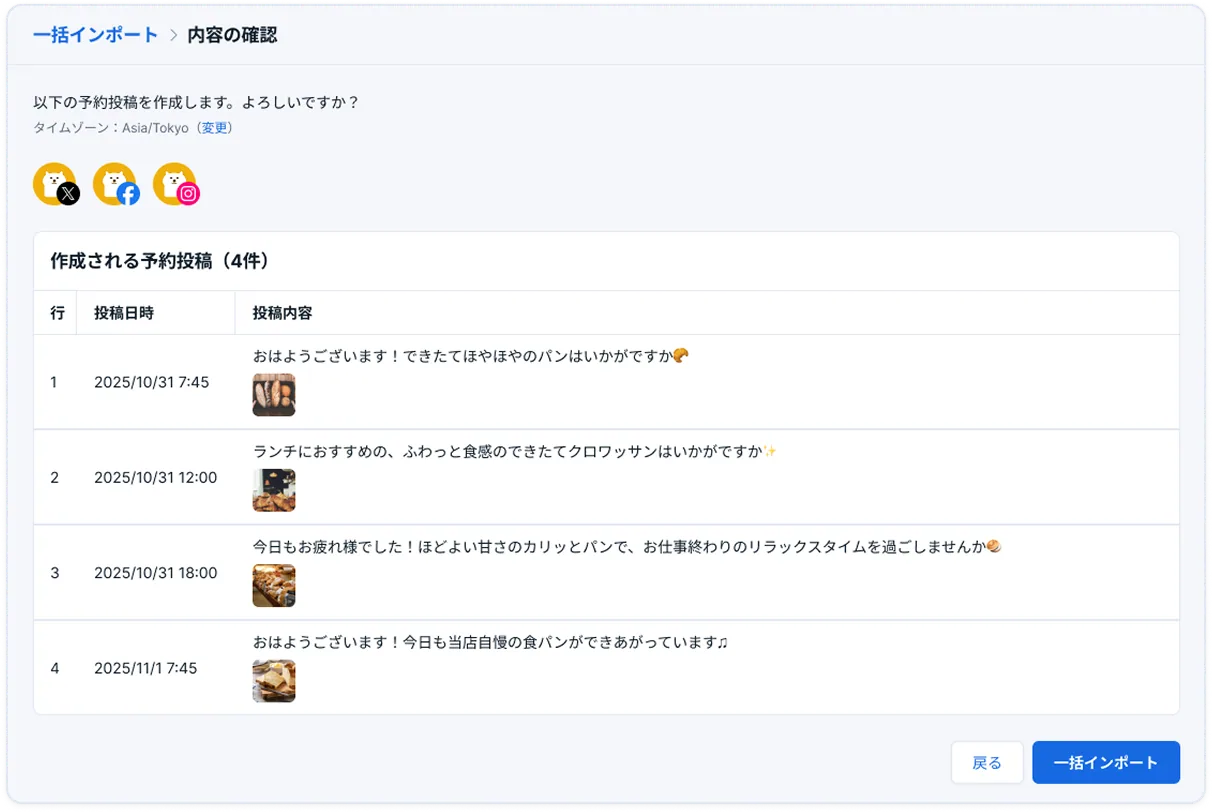
To use it, simply enter the file names in a CSV file and perform a Bulk import. You can add multiple posts with media to your scheduled posts or drafts all at once.
Eligible plans
Professional plan, Business plan, and Enterprise plan
What you can achieve with this feature
- You can upload images and videos you want to use for posts in bulk in advance.
- Simply enter the "post date and time," "text," and "media file name" in the CSV data and perform a Bulk import to add the content to your scheduled posts or drafts.
- You can also rename files directly in your browser. Easily manage files created or captured on different devices.
How to use
- Click "Bulk import" in the menu
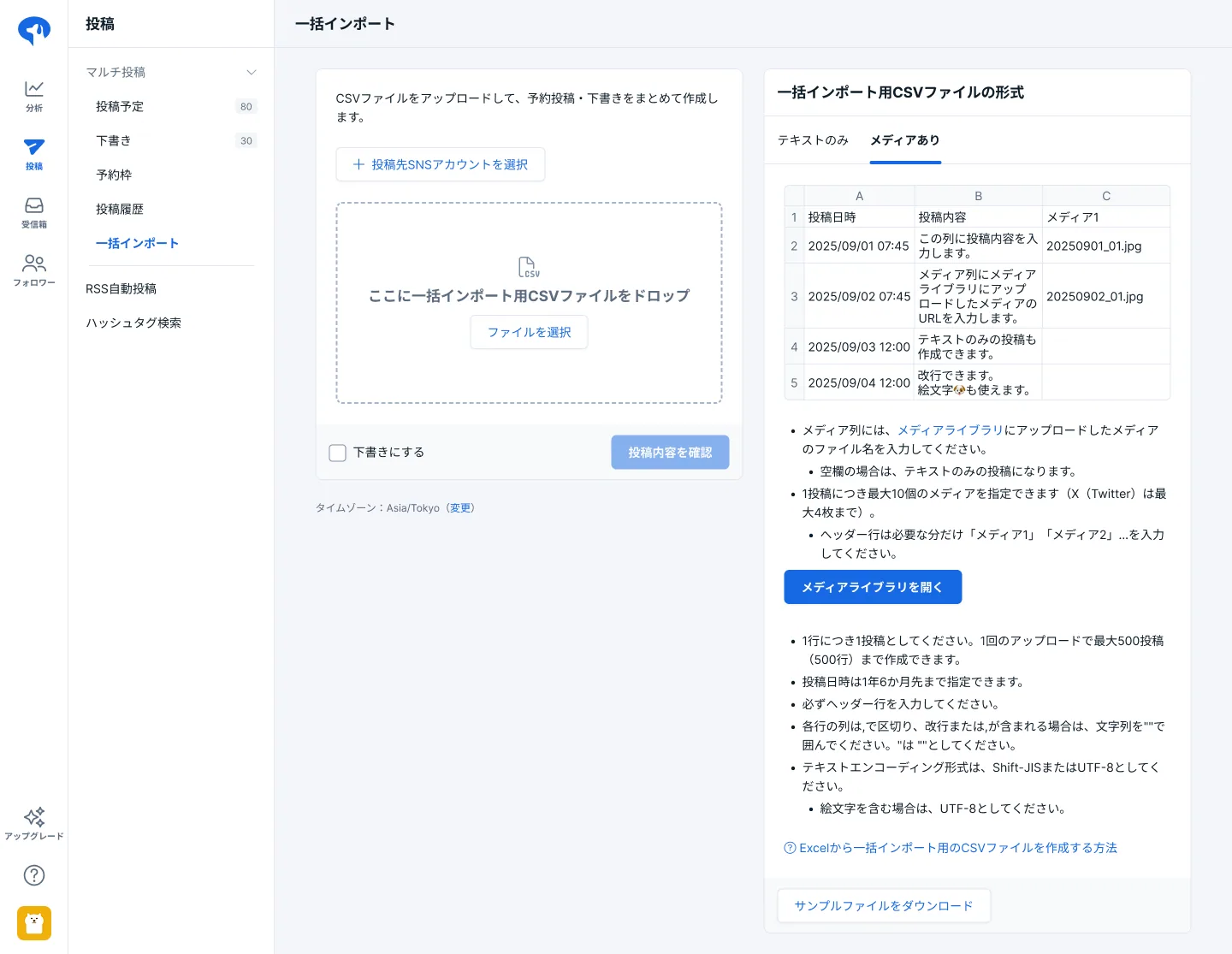
- Click the "Open Media Library" button from the "With media" tab to open the "Media Library"
- Upload the images or videos you want to use for your posts
- Paste the image or video file names into the "Media" column of the Bulk import CSV file
- Upload the CSV file via "Bulk import"
For more details, please check the following page.
SocialDog Help > How to upload media (images and videos) to the Media Library
Background
Previously, the Bulk import feature only supported text, requiring manual insertion when scheduling posts with images or videos.
- "It takes a lot of effort to insert images into a large number of posts."
- "There is a risk of missing or incorrect attachments."
- "There are concerns about operational errors, such as posting by mistake."
Based on this feedback, we have developed the new Media Library feature.
- Bulk schedule by simply entering file names in a CSV
- Significantly reduce the time and effort required for posting
- Centrally manage media in various file formats directly in your browser
By using Media Library, you can easily schedule a large number of posts with media that are more likely to catch users' eyes. We will continue to provide features that help with your SNS management.
About SocialDog
SocialDog is an all-in-one tool with a comprehensive suite of features designed for effective and efficient SNS marketing.
We support efficient operations with advanced features such as advanced post scheduling, follower management, SNS campaign management, social listening, analytics and reporting, team account management, centralized management of multiple accounts, and competitor analysis.
You can start for free, and it is used by a wide range of users, from beginners to professionals.