Overview
SocialDog's campaign feature has received a major update, allowing you to upload your own applicant lists for drawings and DM delivery.
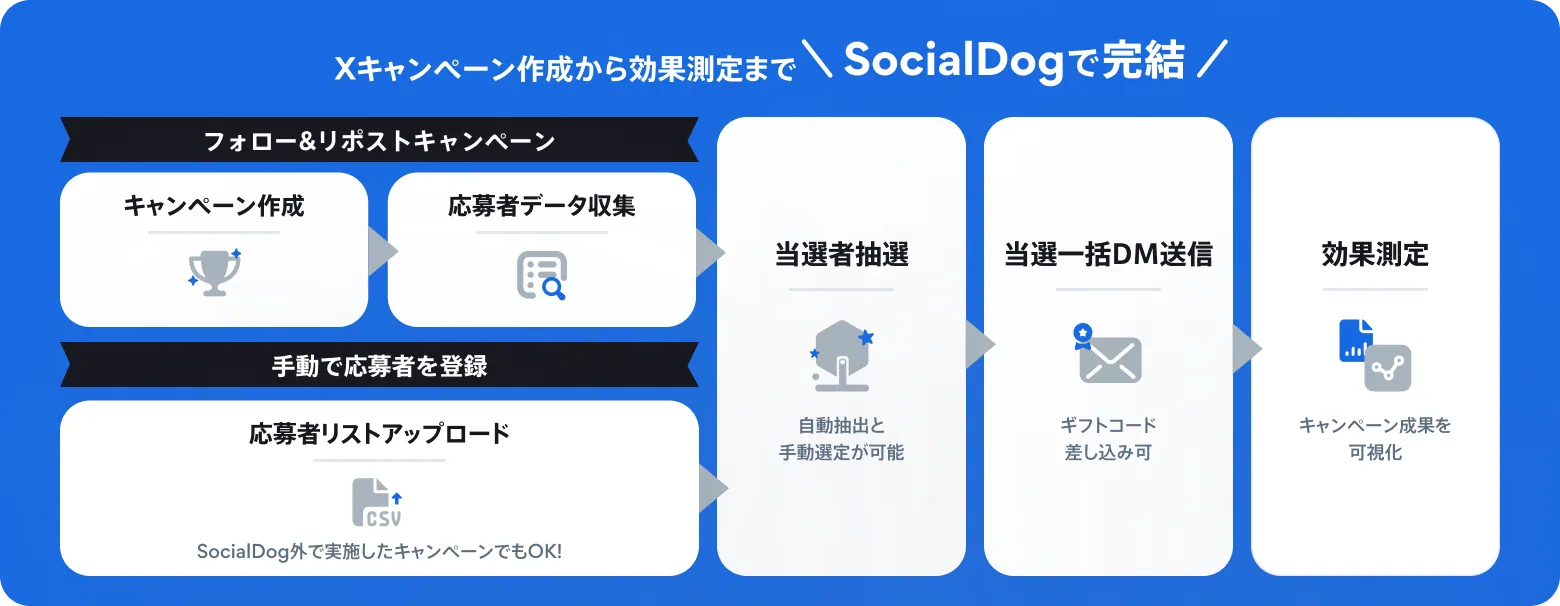
With this update, you can now manage any X (Twitter) campaign from drawing to DM delivery entirely within SocialDog, ensuring safe and efficient campaign management.
For more details, please check the SocialDog help article.
Eligible plans
Business plan, Enterprise plan
Background
Previously, the campaign drawing and DM delivery features were only available for "Follow & Repost" campaigns created on SocialDog. However, we received many requests from users who wanted to send DMs to survey respondents from external tools or conduct flexible drawings for collaborations involving multiple accounts.
To support these diverse campaign formats, we have developed a feature that allows you to upload any "applicant list" for drawings and DM delivery.
What you can achieve with this feature
- Flexible support for complex campaigns
Even for campaigns with unique selection criteria or collaborations across multiple accounts, simply upload the applicant list to complete everything from the drawing to bulk DM delivery.
- Use data extracted within SocialDog for campaigns
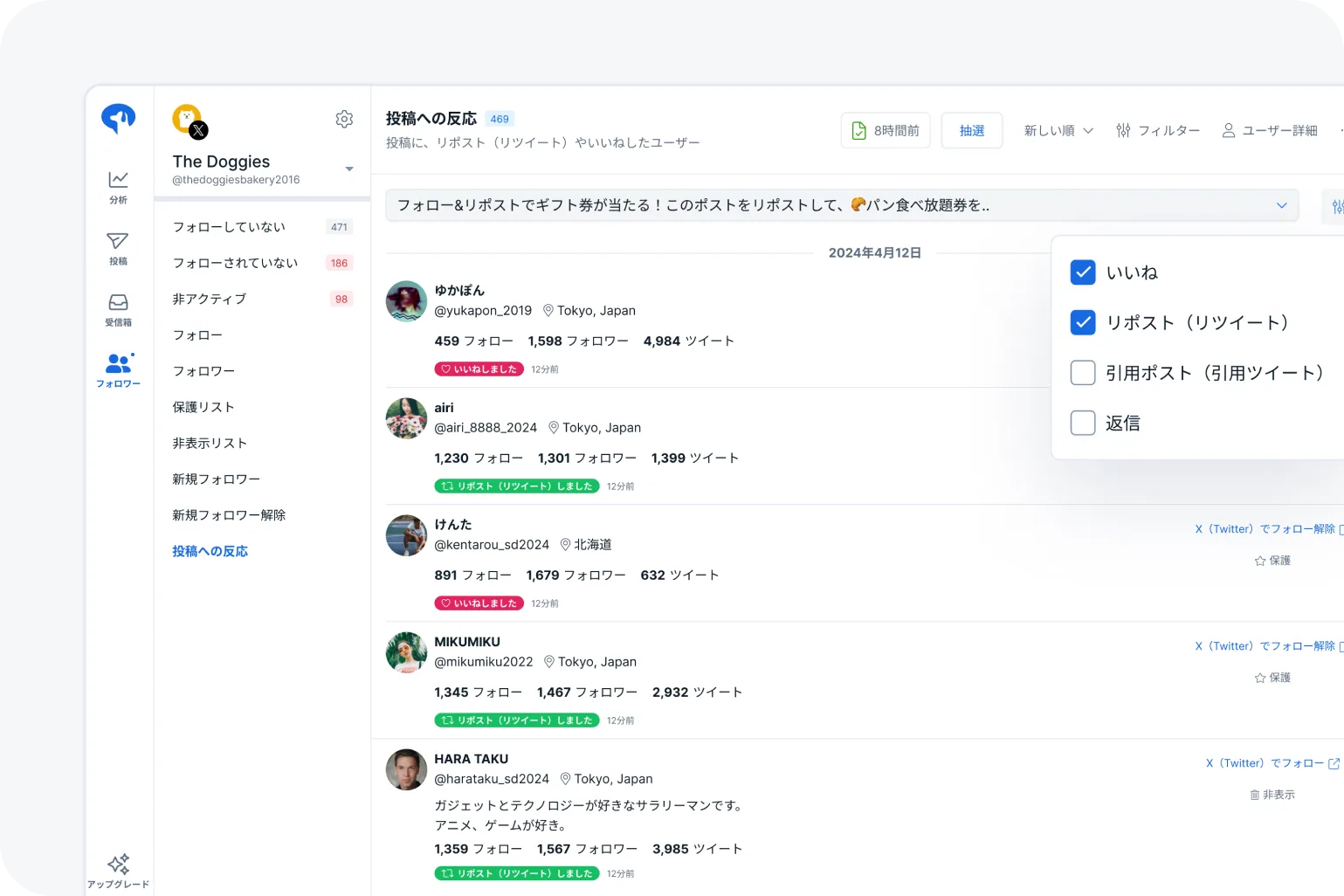
You can use user lists extracted with existing SocialDog features as campaign applicants.
- Keyword Monitor: Extract users who have posted content containing specific keywords (such as your brand name or hashtags).
- Post engagement: Extract users who have performed actions such as "Likes" or "Reposts" on specific posts.
- Significantly reduce administrative errors and workload
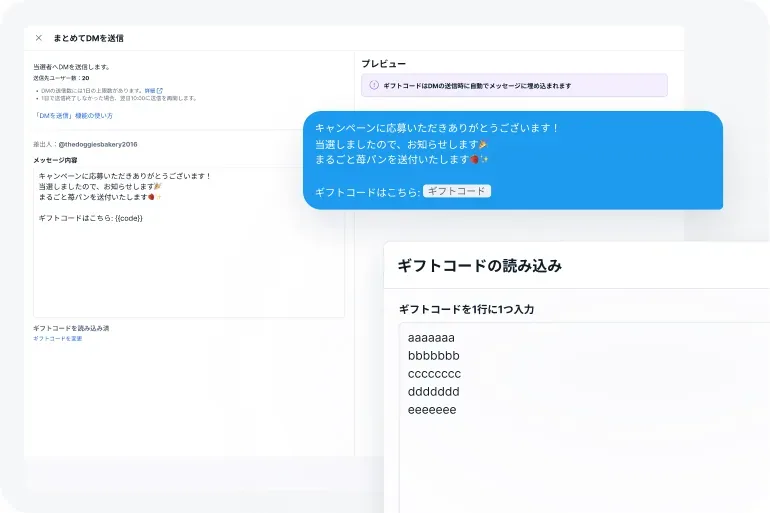
With bulk DM delivery and automatic gift code insertion, you can eliminate the risk of manual errors like missed or duplicate messages, supporting efficient and secure operations.
How to use
1. Prepare the applicant list
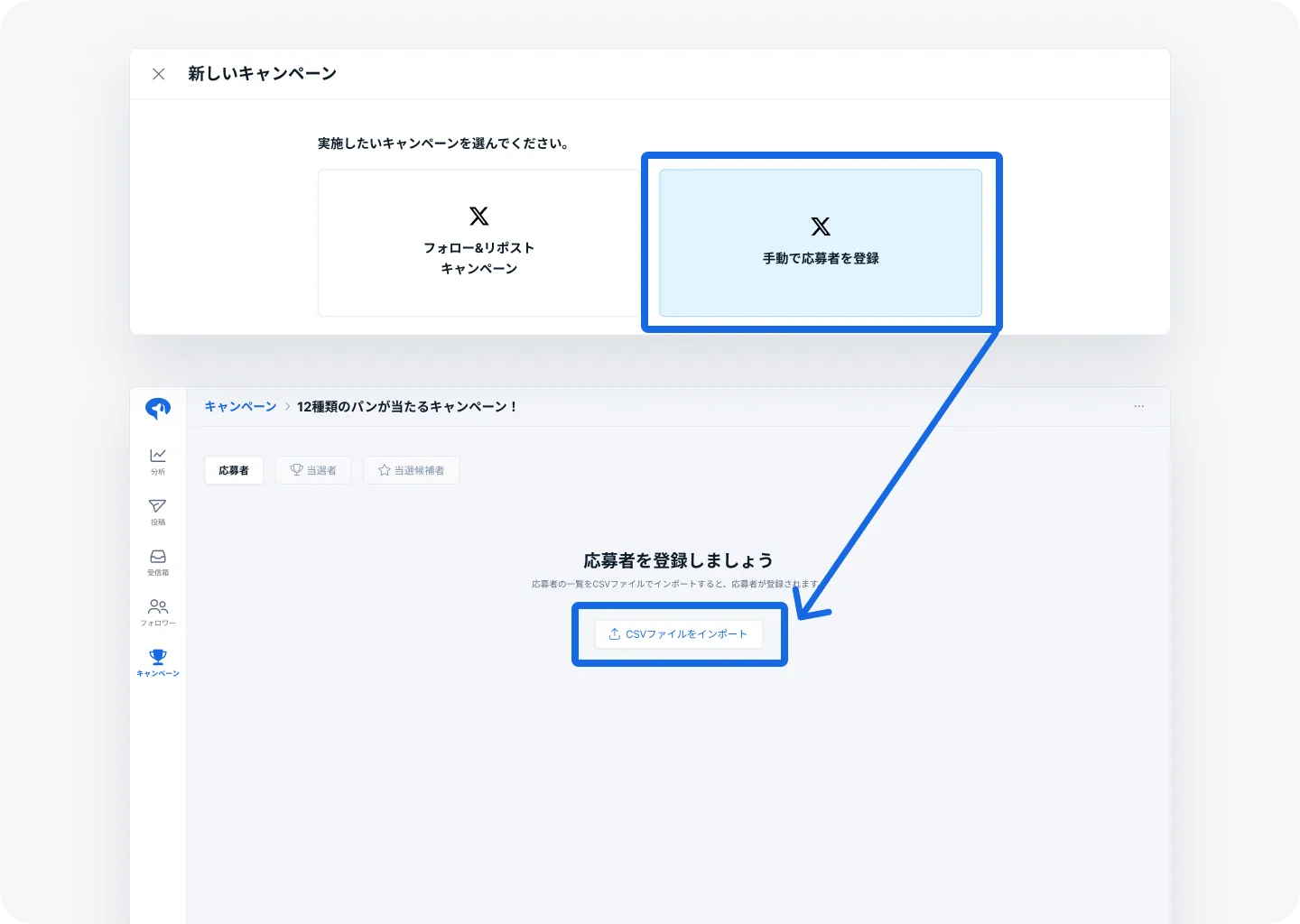
Prepare a CSV file of the applicant list obtained from SocialDog's "Keyword Monitor" or external surveys.
2. Upload
Select "Register applicants manually" on the SocialDog campaign screen and upload the prepared CSV file.
3. Drawing
Enter the number of winners on SocialDog and run the drawing.
4. Send winning DMs
Create your message and send it in bulk! Automatic gift code insertion is also available.
About SocialDog
SocialDog is an all-in-one tool with a comprehensive suite of features designed for effective and efficient SNS marketing.
We support efficient operations with advanced features such as advanced post scheduling, follower management, SNS campaign management, social listening, analytics and reporting, team account management, centralized management of multiple accounts, and competitor analysis.
You can start for free, and it is used by a wide range of users, from beginners to professionals.