We will explain post analysis, the most important aspect of social media management, along with SocialDog's features.
Post analysis is the process of identifying effective posts. In this basic guide, we will focus on how to analyze impressions and engagement, which are key metrics for social media management.
* Impressions: The number of times a post was displayed to users.
* Engagement: User reactions and actions on a post (likes, reposts, replies, etc.).
1. Analyze impressions and engagement for each post
- Log in to SocialDog and click "Post performance" under "Analytics" in the menu.
- Select the "Period" and "Interval" (hourly, daily, weekly, monthly) you want to analyze from the top right.
- The analysis results for the selected period will be displayed in graphs and post details.
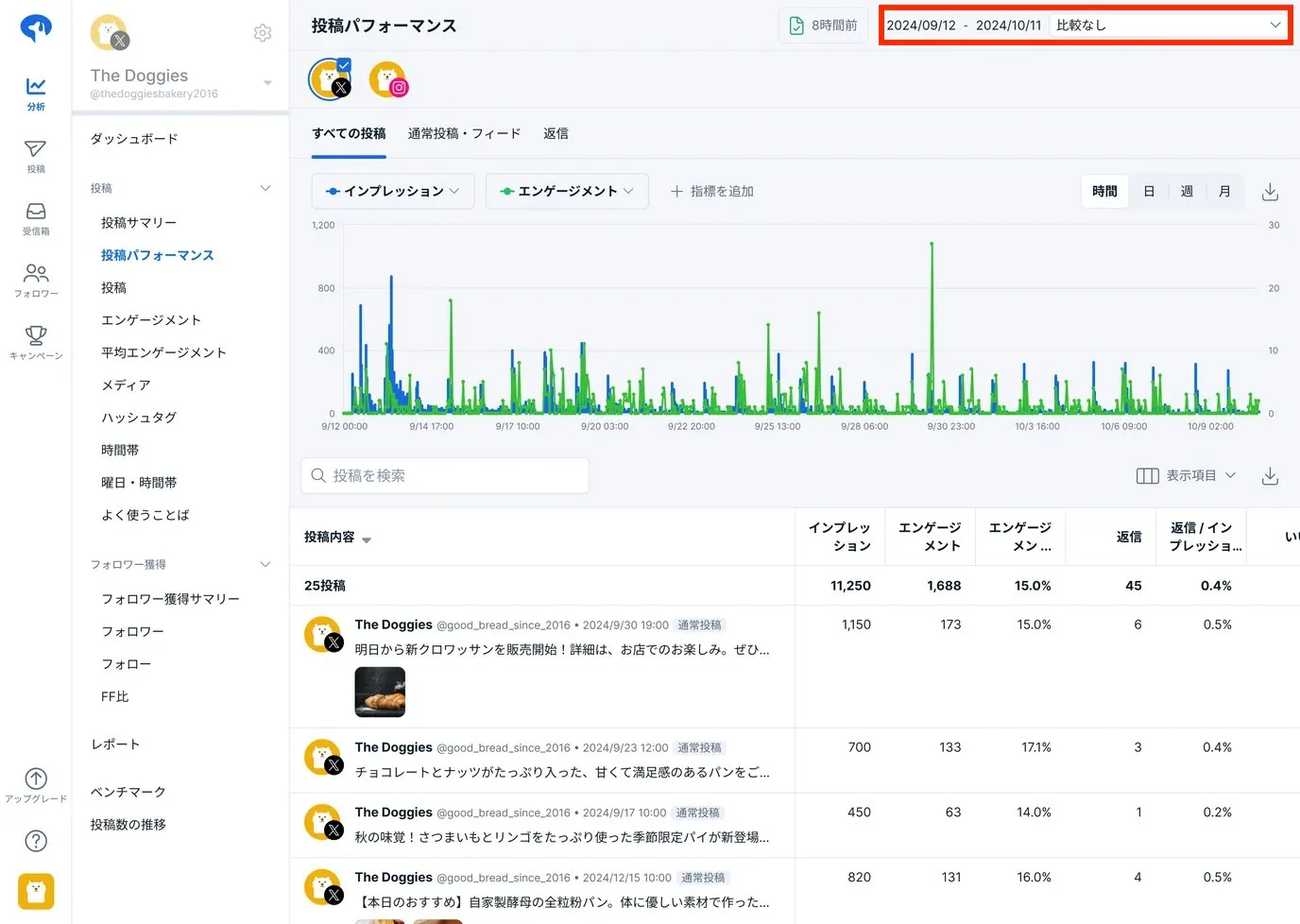
You can now check post impressions and engagement in these three steps. Next, we'll explain how to identify which posts were most effective.
- Click the ▽ icon for impressions or engagement in the post list.
- Posts will be displayed in descending order of impressions or engagement.

This allows you to see a list of your most successful posts at a glance.
For example, if Post A has 3,000 impressions and Post B has 2,500, it suggests that Post A's content or presentation resonated better with users.
Successful posts are likely to perform well again with similar content (reproducibility). Analyze their characteristics, turn them into patterns, and post them regularly. By trying different styles and increasing these patterned posts, you can consistently create content with high impressions and engagement.
Two steps of post analysis
- Identify effective posts, turn their characteristics into patterns, and post them regularly.
- Try various post styles and discover new effective posts through analysis.
By repeating these two steps, you can expand your repertoire of effective posts for your social media accounts.
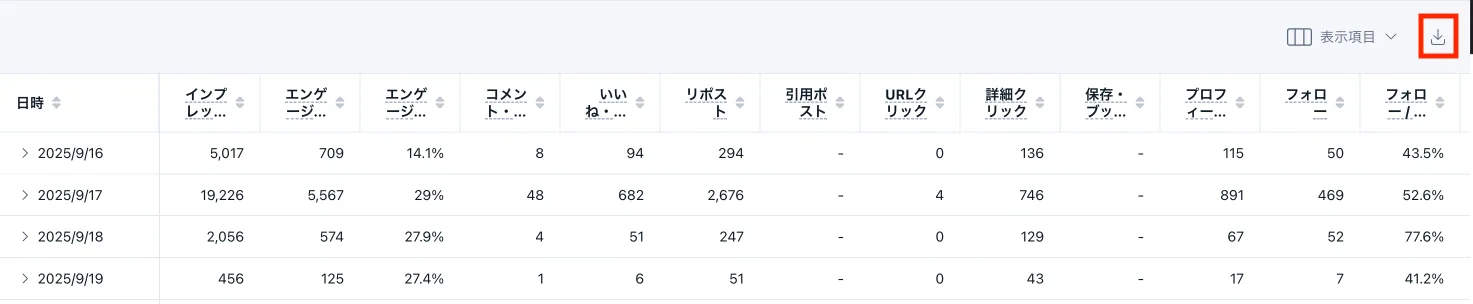
Data can be downloaded as a CSV file, making it easy to perform your own analysis or integrate it with other data.
2. Post examples
Posts with high impressions and engagement are often reproducible. Use the following examples to create effective posts.
- Posts from growing competitor accounts
- Also look at their posting timing and frequency.
- Catch trends on X and create posts that align with them.
- Active interaction with followers and relevant accounts (competitors, same genre).
Effective posts vary depending on your social media followers. Try different post styles while referencing successful accounts.
3. Analyze
Check link and profile clicks
In "Post performance," you can graph various metrics in addition to impressions and engagement.
You can graph two selected metrics, allowing for flexible analysis.
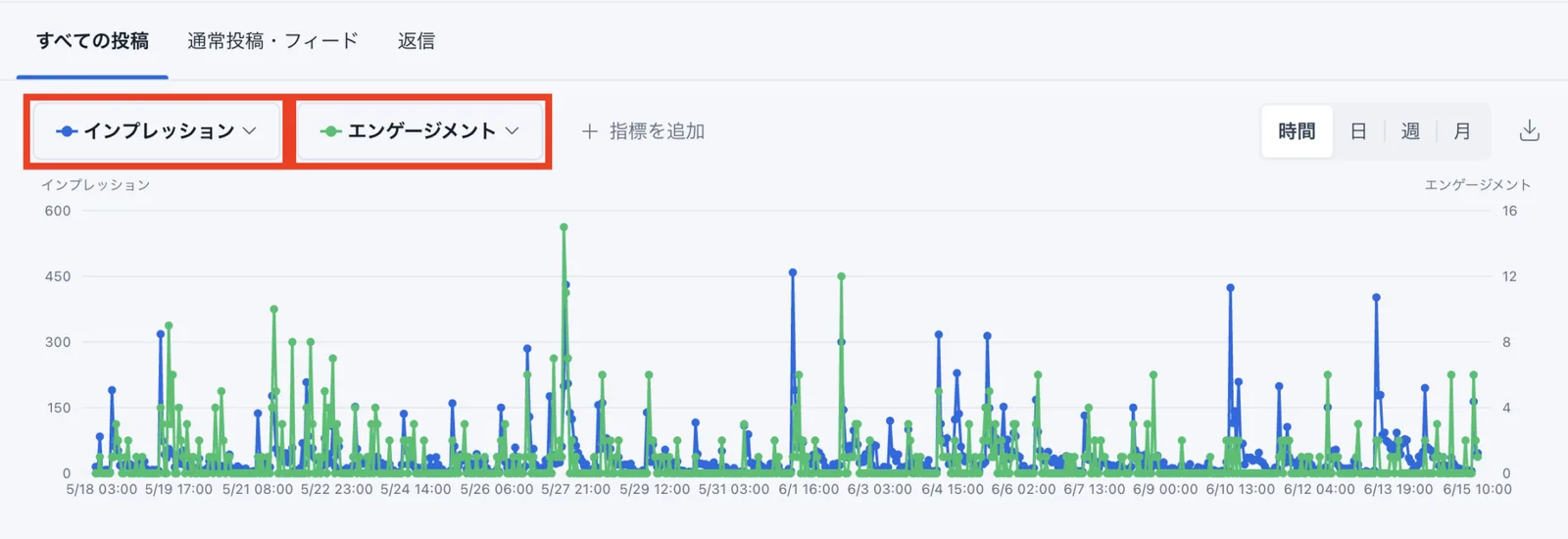
In addition to impressions and engagement, here are the metrics highly valued by the X algorithm.
Many accounts use these metrics as KPIs or indicators for social media management. Choose and measure the appropriate metrics based on your account's goals.
*Since the X algorithm is updated regularly, the following information is based on data collected by SocialDog at the time of writing. Please keep this in mind when reviewing the details.
* Algorithm: A system that selects posts to display on a user's timeline, prioritizing relevant content.
- Link clicks: The total number of times users clicked a URL or card within a post.
- Detail expands: The total number of times users clicked a post to view its details.
- User profile clicks: Total number of times users clicked your name, username, or profile picture from a post
- User follows: Total number of times users clicked your name, @username, or profile picture from a post
- Video views: Total number of times a video in a post was played for at least 50% (and at least 2 seconds)
- Media views: Total number of times videos, images, or GIFs were viewed (including autoplay and clicks)
You can sort posts by the metrics you want to analyze in descending order. This allows you to see at a glance which posts are most effective for each metric.
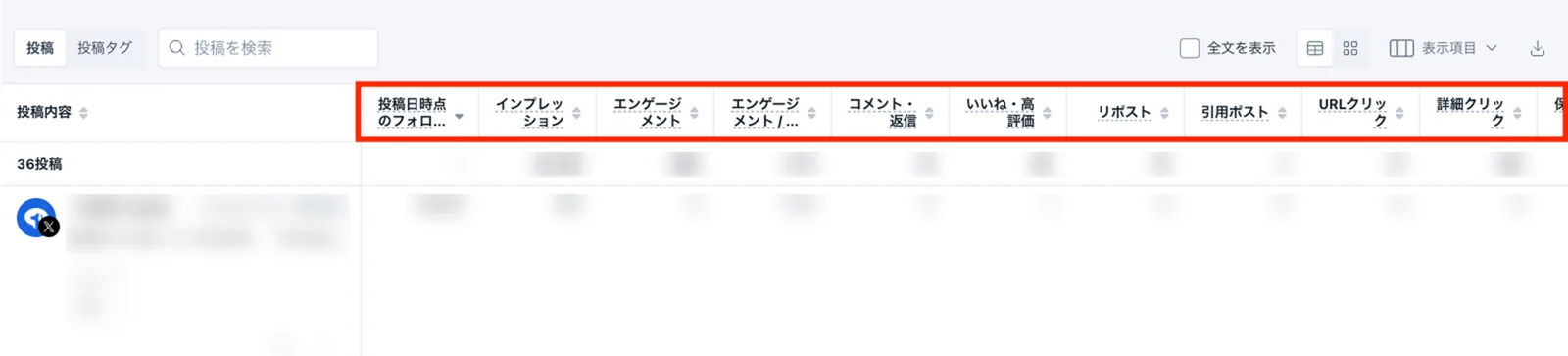
In particular, detail clicks, user profile clicks, and user follows are highly valued by the algorithm, so we recommend including these in your KPIs.
When these metrics are favored by the algorithm, your posts are more likely to appear in recommended timelines, leading to a significant increase in reach. Therefore, be sure to actively analyze these numbers.
Analyze individual posts in detail
Click on a post in the "Post performance" section to view detailed information for that specific post.
You can track impressions and engagement on an hourly basis after posting, allowing for initial performance analysis.

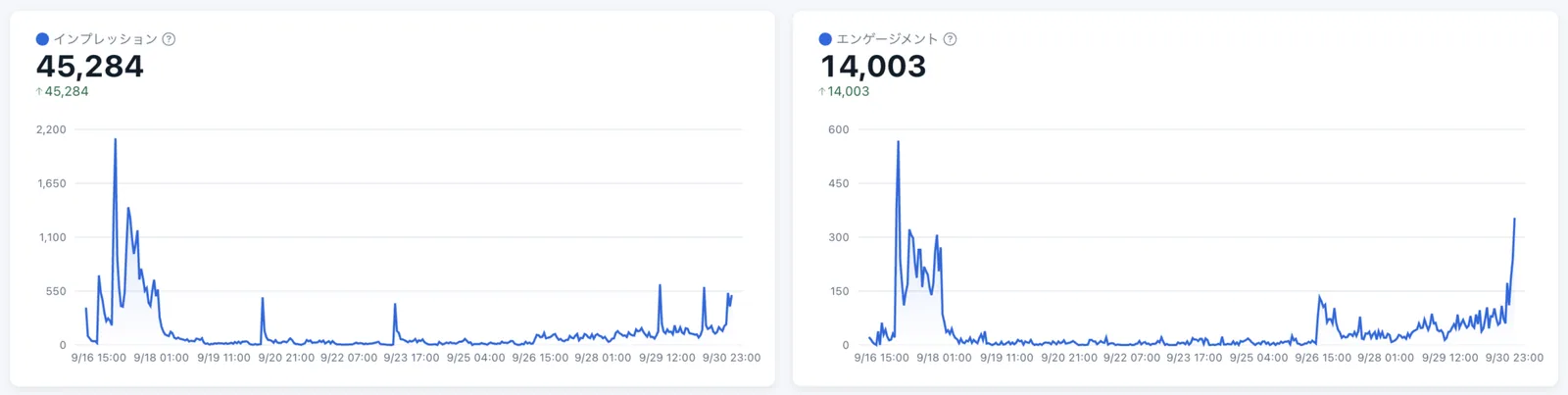
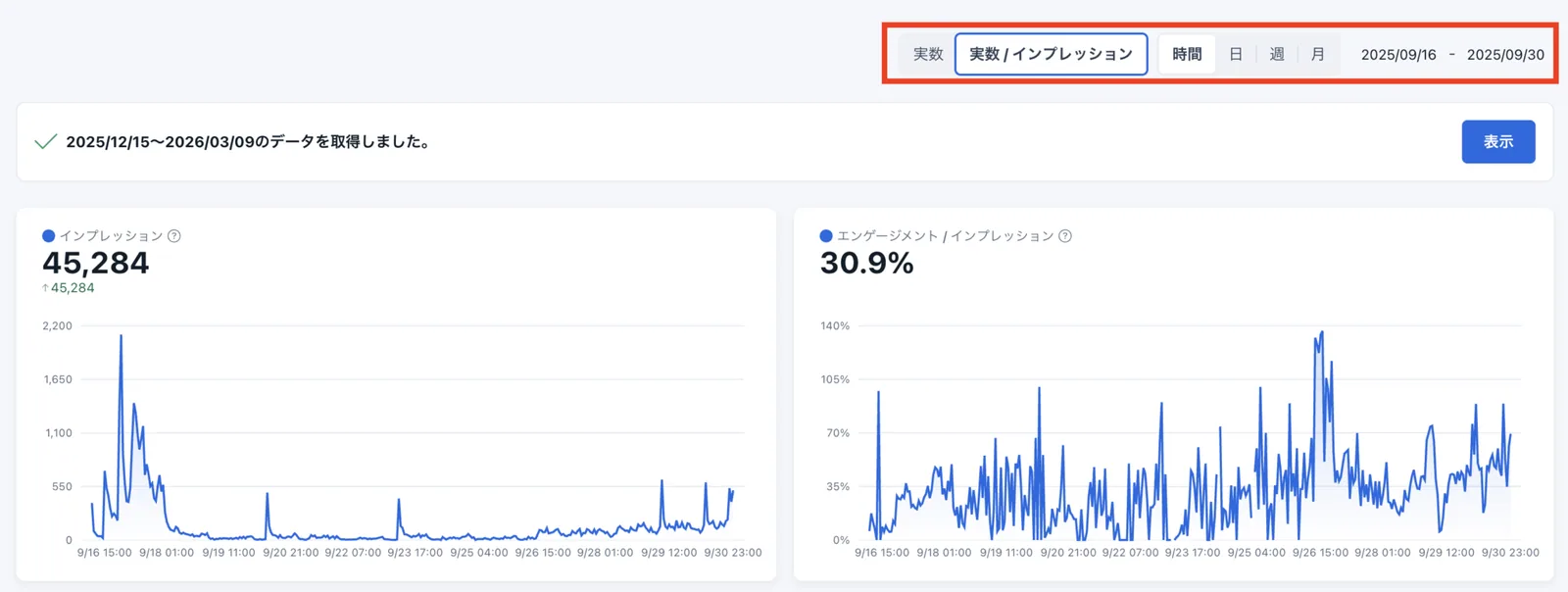
Click "Actual numbers / Impressions" in the top right of the post details page to view a graph of each metric divided by the number of impressions (engagement rate).
You can change the date range for analysis and view data by hour, day, week, or month.
In the table at the bottom of the post details page, you can view impressions and engagement by hour, day, week, or month, and download the data as a CSV file.
Post details provide metrics and graphs for engagement (replies, reposts (retweets), likes, etc.), as well as media views, URL clicks, and detail clicks.
This feature allows you to analyze the effectiveness of individual actions, not just overall impressions and engagement.
Summary
Analyzing posts is the process of finding what works. Here are the three basic steps of post analysis.
- Identify effective posts, turn their characteristics into patterns, and post them regularly.
- Try various posting styles based on examples and discover effective posts through analysis.
- Identify effective posts that are favored by the algorithm through detailed analysis.
Post analysis is considered the most important factor in growing an SNS account.
Use SocialDog to expand your repertoire of effective posts by performing regular analysis and data-driven improvements.
Refer to "How to analyze posts: Timing and reporting" and "How to analyze posts: Media and hashtags" to help grow your account.
For detailed instructions on post analysis, please see Analyzing posts (Post performance) and Post overview (X).